"Share this Info and Help a Friend"
NEW: AI Mobile and Desk Phone Service!
"AI Summary & Call Recording Transcribed on your Mobile/Desk Phone and PC"
Interested in Taking your Phone Service to the Next Level Watch this TeQ I.Q. Phone Fully Redundant 99.999% Uptime Service 3 Minute Demo Video and see if it would improve your Phone and Mobile Phone Service.
Call Robert at 619-255-4180 to Easily set you up!
TeQ I.Q. Computer Repair, TeQ I.Q. TV, TeQ I.Q. Mobile, TeQ I.Q. Internet, TeQ I.Q. Phone
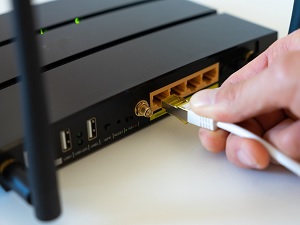
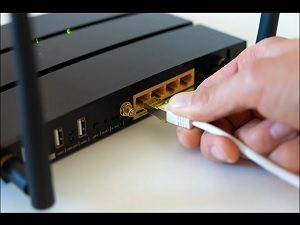
How To Use a Router USB Ports:
YouTube Video "How To Use a Router USB Ports"
Routers are usually set up once or twice and then they sit in a corner somewhere until a setting needs to be changed, or the router gets replaced. However, they're mini computers capable of doing far more than we normally use them for. Here are a few good ones to try.
Network Attached Storage (USB drives, USB HDDs, USB SSDs)
If something as fully-featured as a decidated NAS isn't for you, you're in luck: there are often simpler options.
Most routers allow you to connect a USB storage device directly to the USB port. That storage device will then be visible on the network, a bit like a very basic NAS.
There aren't usually a whole lot of limitations on what you can use, but the router can only deliver 15 watts out of a regular USB type A port. That means you'll need a separate power supply if you want to plug in a regular hard disk drive.
On the other hand, USB flash drives and external SSDs tend to consume less power, and they're pretty much plug and play.
Most routers will let you use any of the major file formats. We recommend something that works with multiple operating systems, like exFAT, just in case you need or want to connect the drive to a PC in the future. Options like NTFS, which is what Windows typically uses, can be connected to a Mac or Linux PC, but there are extra considerations involved. It is best just to avoid the problem entirely.
Some routers will also let you set up the storage device as a Time Machine backup location, which is great if you have a Mac.
A Wired Printer
Wireless printers can be convenient, but if it is at all possible, I prefer to connect mine via Ethernet or USB.
If your router doesn't support that function, unfortunately, you're out of luck, and you'll need to connect using Wi-Fi or Ethernet.
If you're trying to figure out how to conveniently connect an older, USB-only printer to your modern network, you could always set up a Raspberry Pi as a print server instead. It takes a little bit of preparation, but it is quite reliable once you get it going. You don't need anything high-powered either—even a Raspberry Pi 0 W2 will work.
A Cellular Hotspot or Phone Hotspot
Some routers allow you to connect a cellular hotspot to the USB port on your router to share a 4G or a 5G connection. Typically, the performance you get won't be broadband or fiber, but it is a great way to get your network back up and running in the event of an inconveniently-timed outage.
If your router supports that feature, you can probably also use your phone the same way. You'll just need to set your phone's hotspot mode to USB tethering mode.
Low-Power IoT Devices
There are a million and one great projects you can run on a low-powered device like a Raspberry Pi 0 W (or later versions).
If your router has a USB port you can easily use the USB port to deliver power to the Raspberry Pi, which guarantees you'll get a solid wireless signal if you're connecting wirelessly, or that you don't need to go far if you're connecting over a wired connection.
The ability to create your own mini-network-attached storage device is pretty common, and one that everyone should be using if their router supports it. A basic backup of your important files is essential.
If this tip helps and you would like to donate click on the button. Thanks In Advance.
________________________________________________________________________________________________________
"Fortune Favors, Who Value Time over Money!"
"TeQ I.Q. was the 1st IT Company to Deliver Cloud Solutions since 2003"
Tech issues taking up your Time?
"TeQ I.Q. Makes Your Technology Secure and Protected"
Do you have Tech Frustrations like your Computer, Internet, Phone, Cellphone, Camera, TV, Car?
"We Take Away Your Tech Frustrations and Give You the Free Time You Deserve!"
Call Robert to ask all your Technology questions.
For Free Consultation Call Now Robert Black at (619) 255-4180 or visit our website https://www.teqiq.com/
Chase Bank and Others Trust TeQ I.Q. with their IT and TeQnology so can you!