
"Share this Info and Help a Friend"

NEW: AI Mobile and Desk Phone Service!
"AI Reception, AI Summary, Call Recording Transcription"
Answer Calls and Text on your Desk Phone / Computer / Mobile Phone / Tablet.
TIME = LIFE "TeQ I.Q. Increases your TIME"
TeQ I.Q. is for Customers who Embrace Change, Want Real Support With More Solutions to Increase Sales and Have More Time!
Call Robert at 619-255-4180 to Easily set you up!
TeQ I.Q. Computer Repair, TeQ I.Q. TV, TeQ I.Q. Mobile, TeQ I.Q. Internet, TeQ I.Q. Phone
Google Gives Events a Boost:
YouTube Video "Google Gives Events a Boost"
What if keeping track of your schedule could feel less chaotic? Learn how the modern business uses Google Calendar event colors to manage busy workweeks.
Why Are So Many Companies Using Google Calendar?
Google Calendar has become a tool for companies, especially those with remote or hybrid workforces. This cloud-based time-management and scheduling platform brings the following worthwhile advantages when adopted correctly:
- Team collaboration: People can easily share calendars and overlay multiple schedules to find mutual availability. The tool also has access permissions for viewing and editing to minimize confusion and errors.
- Integrated video conferencing: Meeting invites sync with Google Meet while allowing users to attach agendas or files directly to the event.
- Client booking: With the ability to establish dedicated "appointment slots," clients and partners can schedule meetings directly during available windows without back-and-forth emails.
- Automated reminders: Built-in alerts help cut down on missed appointments, while smart time-zone conversions facilitate easier scheduling for remote workers and global clients.
- A centralized ecosystem: Google Calendar automatically aggregates events (like flight bookings and room reservations) from Gmail and integrates with task lists and project management platforms.
Calendar Event Organization Just Got an Upgrade
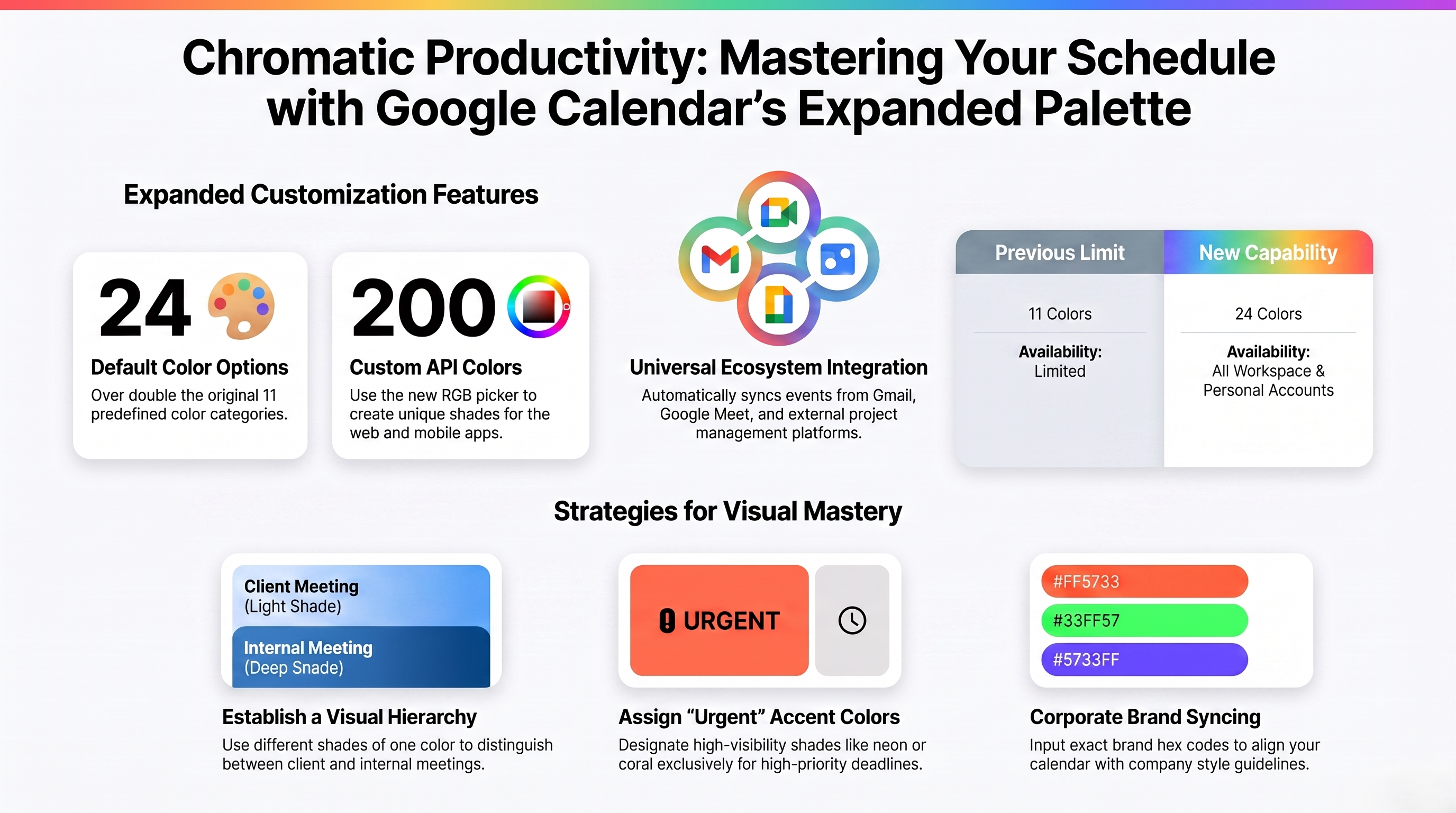
In a recent Google blog post, the company acknowledged a long-standing request from both businesses and personal users to have a bit more customizability. Before the update, the platform had only 11 predefined colors for categorizing events.
Now, users can pick from 24 default colors as part of the expanded color palette. Google also added an RGB color picker tool that can create up to 200 custom event colors for managing events via Calendar's API, website, and mobile apps.
This feature will be on by default, but you can customize it for each user. It's currently rolling out for all Google Workspace customers, Workspace individual subscribers, and Google account users.
Fine-Tune Your Calendar Management Approach
Google Calendar is completely free with a personal account and included in Workspace subscriptions for businesses. Consider the following strategies to take advantage of the new Google Calendar event colors:
- Adopt visual event categorization: Why not take the time to create a definitive company color key? For example, you can use a custom light blue for Client Pitches and a distinct royal blue for Internal Syncs to create a visual hierarchy.
- Create color labels: When sharing primary calendars with members who have "Make changes to events" permissions, labels ensure that everyone interprets the colors consistently to avoid miscommunication.
- Assign "urgent" colors: Designate a highly visible or custom accent color, like a bright coral or neon-based shade, exclusively for Urgent Tasks or High-Priority Deadlines, so they immediately catch the eye.
- Sync with corporate branding: If your business has strict brand guidelines, use the event color customization picker to input your exact brand hex codes for a sleek, company-aligned calendar interface.
Have you explored the potential of the new Google Calendar event colors yet? By leveraging advanced scheduling integrations and other modern tools, business owners can streamline task management and reduce cognitive overload.
If this tip helps and you would like to donate click on the button. Thanks In Advance.
________________________________________________________________________________________________________
"Fortune Favors, Who Value Time over Money!"
"TeQ I.Q. was the 1st IT Company to Deliver Cloud Solutions since 2003"
Tech issues taking up your Time?
"TeQ I.Q. Makes Your Technology Secure and Protected"
Do you have Tech Frustrations like your Computer, Internet, Phone, Cellphone, Camera, TV, Car?
"We Take Away Your Tech Frustrations and Give You the Free Time You Deserve!"
Call Robert to ask all your Technology questions.
For Free Consultation Call Now Robert Black at (619) 255-4180 or visit our website https://www.teqiq.com/
Chase Bank and Others Trust TeQ I.Q. with their IT and TeQnology so can you!