"Share this Info and Help a Friend"
NEW: AI Mobile and Desk Phone Service!
"AI Reception, AI Summary, Call Recording Transcription"
Answer Calls and Text on your Desk Phone / Computer / Mobile Phone / Tablet.
TIME = LIFE "TeQ I.Q. Increases your TIME"
TeQ I.Q. is for Customers who Embrace Change, Want Real Support With More Solutions to Increase Sales and Have More Time!
Call Robert at 619-255-4180 to Easily set you up!
TeQ I.Q. Computer Repair, TeQ I.Q. TV, TeQ I.Q. Mobile, TeQ I.Q. Internet, TeQ I.Q. Phone
Old OneDrive Loses Support:
YouTube Video "Old OneDrive Loses Support"
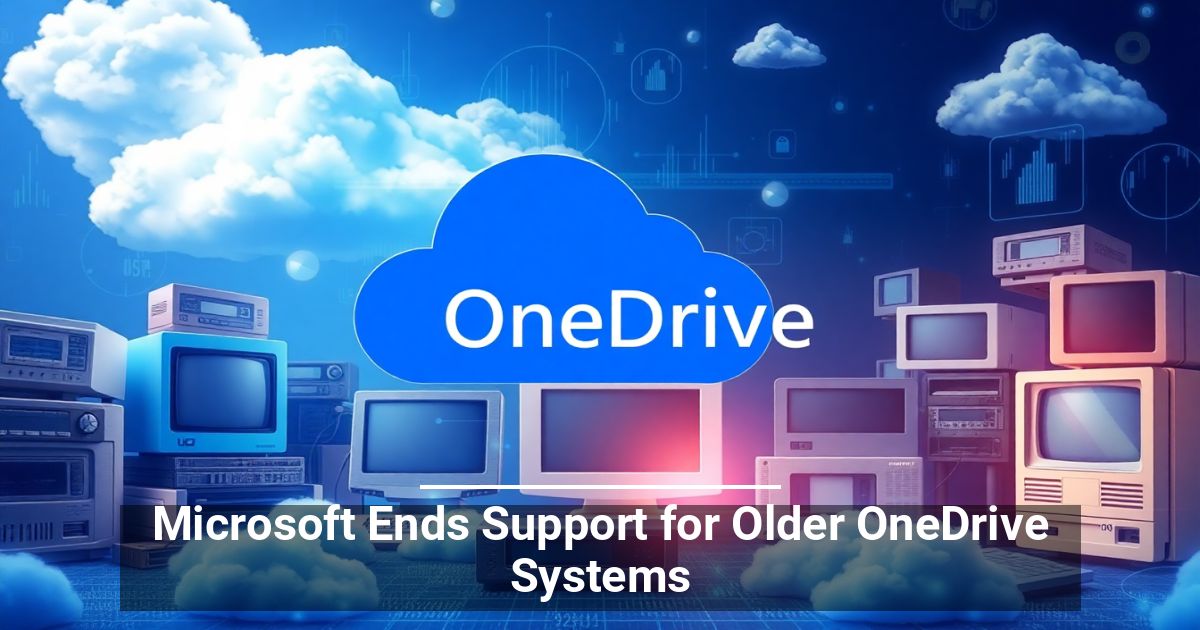
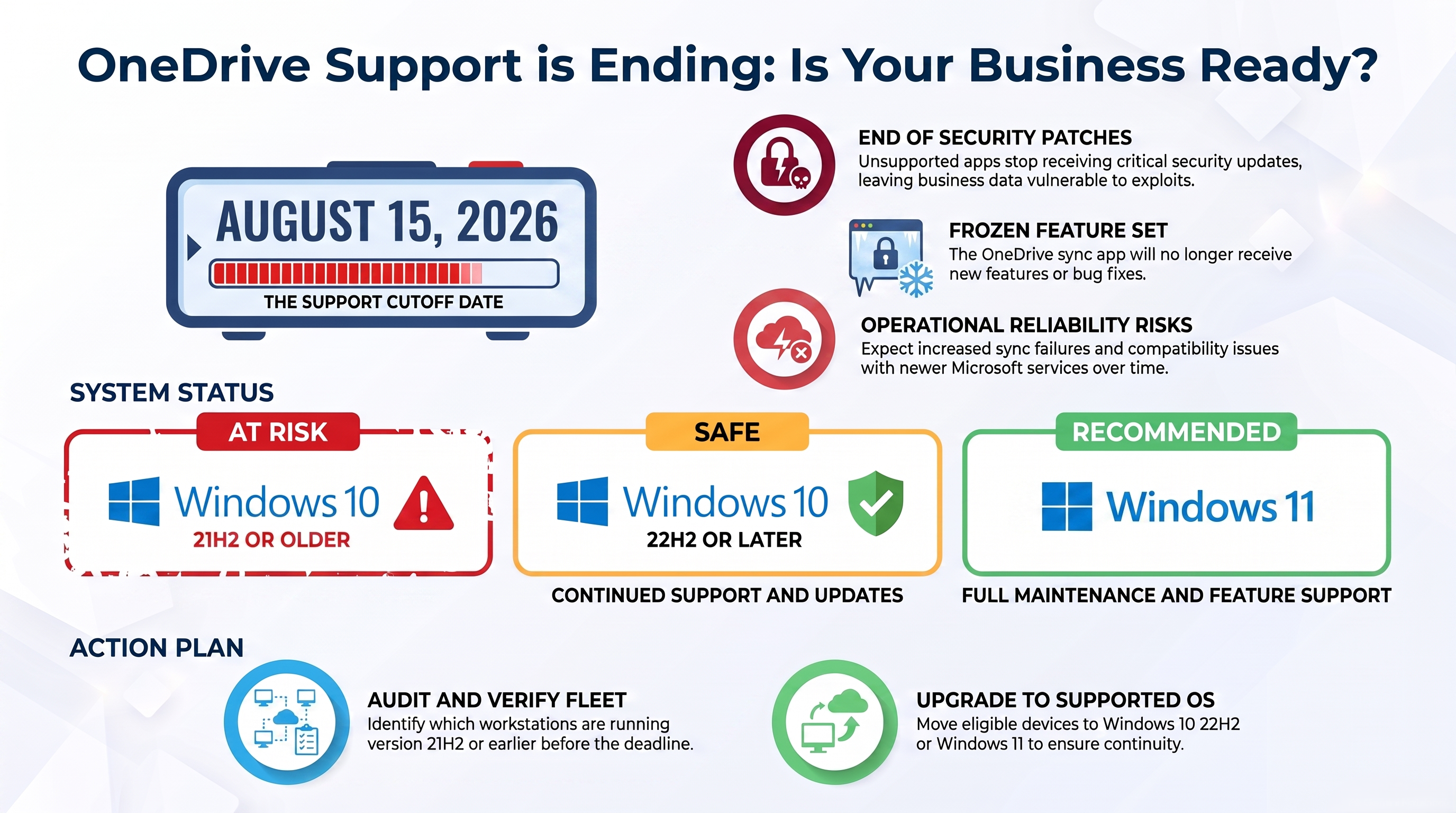
If your business uses OneDrive for cloud storage, mark your calendar for August 15, 2026. This is the date that Microsoft ends support for older OneDrive systems.
While the app won't suddenly stop working, businesses that continue using these older systems could face growing compatibility and security concerns over time.
What’s Changing for OneDrive?
The biggest change affects the OneDrive desktop app on computers running Windows 10 version 21H2 or older. August 15 marks the practical end of support for the OneDrive sync app on those operating systems. It will continue to launch and sync, but it won’t get new features, bug fixes, or security updates from Microsoft.
As Windows and OneDrive continue to change, older versions may encounter bugs or compatibility issues that will never be fixed. Perhaps most concerning is the end of security updates and patches. Once this happens, cybercriminals can target older systems to exploit newly discovered vulnerabilities in the sync client, and there will be no way to fix those gaps.
Which Systems Are Affected?
If your business computers run Windows 10 version 21H2 or earlier, then you need to take action to be ready when Microsoft ends support for older OneDrive systems. Anything tied to a Microsoft account for business file storage on an older build is at risk.
Systems using Windows 10 22H2 or later are safe for now and will continue receiving OneDrive support.
What The Change Means for Day-to-Day Operations
For many companies, cloud file synchronization is woven into daily operations. Employees save documents, collaborate on shared folders, and access files from multiple devices using a Microsoft account. When the software responsible for that process stops receiving updates, the risks gradually increase.
Over time, businesses may encounter:
- Sync failures that cannot be corrected
- Compatibility issues with newer Microsoft services
- Reduced reliability when sharing or accessing business files
- Increased exposure as security vulnerabilities go unpatched
As Microsoft rolls out changes elsewhere in the operating system, the OneDrive desktop app on unsupported versions could start behaving oddly or stop working altogether. Cloud file synchronization that used to be reliable might soon become untrustworthy.
What You Need To Do To Prepare
This announcement provides an opportunity to review existing hardware and operating systems before support officially ends. Upgrading eligible devices to supported Windows 10 versions or Windows 11 allows the OneDrive desktop app to continue receiving ongoing maintenance and support.
Even organizations with only a handful of affected computers should verify which systems employees use for file synchronization. One outdated workstation can create unnecessary headaches if it begins experiencing sync problems.
A Good Reminder to Stay Current
Technology updates are easy to postpone, especially when everything appears to be working normally. However, software that no longer receives security updates slowly becomes harder to rely on. That can affect productivity, collaboration, and overall business continuity. The announcement that Microsoft will end support for older OneDrive systems is a reminder to review both operating systems and cloud software before problems develop.
Unless you have a highly capable in-house IT team, we recommend working with a provider that offers training, support, and an implementation roadmap like TeQ I.Q. has.
Ask How TeQ I.Q. can help You or Your Business. Go To Web Site https://www.teqiq.com/
If this tip helps and you would like to donate click on the button. Thanks In Advance.
________________________________________________________________________________________________________
"Fortune Favors, Who Value Time over Money!"
"TeQ I.Q. was the 1st IT Company to Deliver Cloud Solutions since 2003"
Tech issues taking up your Time?
"TeQ I.Q. Makes Your Technology Secure and Protected"
Do you have Tech Frustrations like your Computer, Internet, Phone, Cellphone, Camera, TV, Car?
"We Take Away Your Tech Frustrations and Give You the Free Time You Deserve!"
Call Robert to ask all your Technology questions.
For Free Consultation Call Now Robert Black at (619) 255-4180 or visit our website https://www.teqiq.com/
Chase Bank and Others Trust TeQ I.Q. with their IT and TeQnology so can you!